Microsoft Power BI
Business Intelligence Inside Your Microsoft Environment
For Australian businesses already running Microsoft 365, Power BI is the natural choice for business intelligence. ThynkProcess connects Power BI to your SAP Business One, Salesforce, and Excel data — delivering executive dashboards, financial reports, and operational analytics in a platform your team already knows.
Why Power BI for Australian Mid-Market Businesses?
Power BI is Microsoft's business intelligence platform — and for organisations already using Microsoft 365, it's the most cost-effective and widely adopted analytics solution available. It integrates natively with Teams, SharePoint, and Excel, and ThynkProcess extends that to SAP Business One and Salesforce — giving your leadership team a single source of truth across their entire business, accessible from the tools they already use daily.
- Embedded in Microsoft 365: Share Power BI dashboards inside Teams, SharePoint pages, and Excel — no separate login.
- SAP B1 Direct Connection: ThynkProcess builds certified Power BI data connectors from SAP Business One — finance, inventory, sales.
- Power BI Service (Cloud): Publish dashboards to the Power BI cloud service — accessible from browser and mobile app.
- Row-Level Security: Users only see data relevant to their role — auto-filtered by branch, department, or territory.
- Affordable Licensing: Power BI Pro is included with Microsoft 365 E5 and available for as little as $14/user/month.
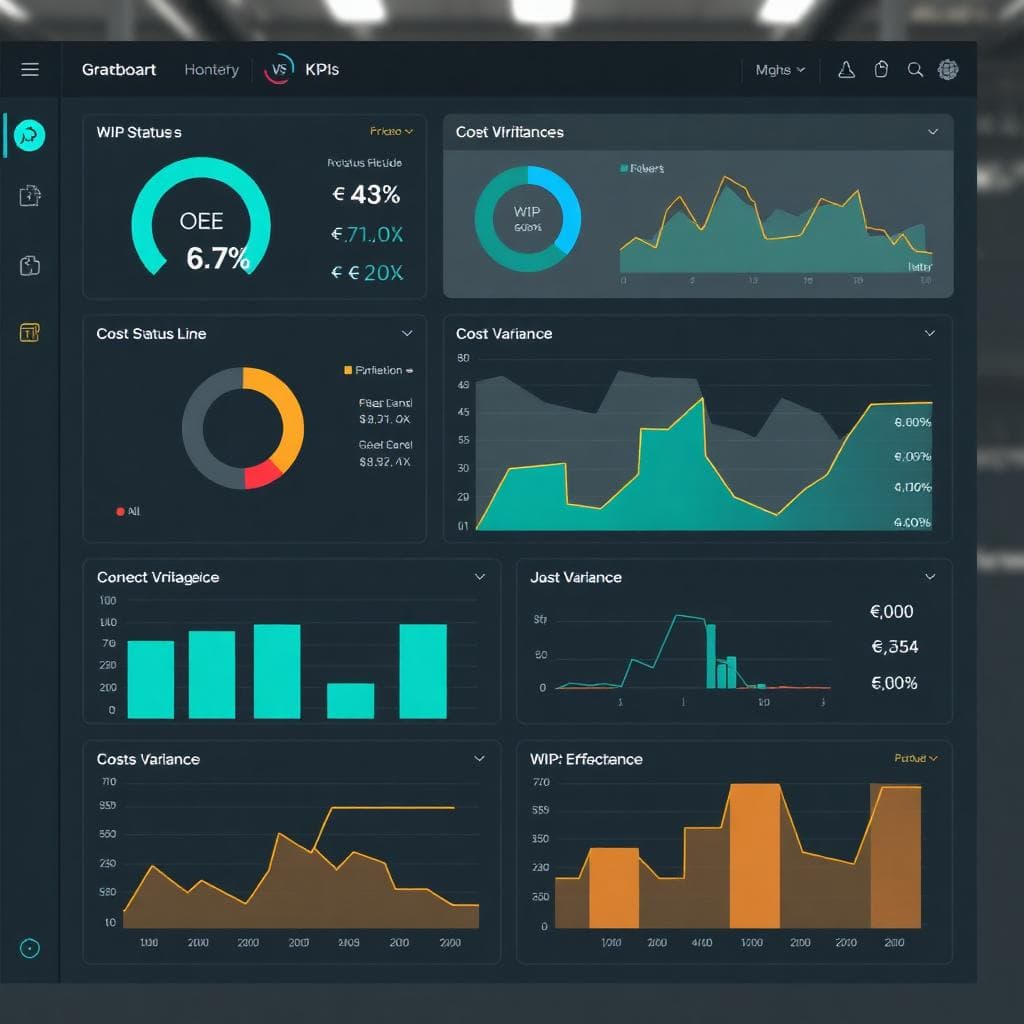
Power BI Capabilities ThynkProcess Delivers
Financial Dashboards
Live P&L, cash flow, and balance sheet from SAP B1 — updated daily or in near-real-time via scheduled refresh.
Inventory & Supply Chain
Stock on hand, ageing inventory, reorder performance, and supplier scorecards from SAP B1.
Sales & Pipeline Analytics
Salesforce pipeline + SAP B1 invoicing combined in one revenue dashboard for sales leaders.
Manufacturing & Operations
Production efficiency, WIP, and quality KPIs from Beas Manufacturing connected to Power BI.
HR & Workforce Reporting
Headcount, labour cost, and productivity metrics for operational leaders.
Power BI Mobile App
Native iOS and Android app — executives can monitor KPIs on their phone from anywhere.
Common Challenges Microsoft Power BI Solves
ThynkProcess Power BI Delivery Approach
ThynkProcess delivers Power BI analytics projects using a sprint-based approach — you see real dashboards within the first 2 weeks.
Data Source Audit
We document your SAP B1, Salesforce, and other data sources — quality, structure, and refresh requirements.
KPI Design
We workshop the most important metrics with your leadership team and prioritise them by impact.
Power BI Data Modelling
We build the semantic data model — relationships, measures, and calculated fields — that all reports draw from.
Dashboard Build
We build dashboards in sprints — finance first, then operations, then sales — with your team's input at each stage.
Microsoft 365 Deployment
We publish to Power BI Service and embed in Teams/SharePoint for seamless access.
Power BI Connects To







Is Microsoft Power BI Right for You?
Industries
Business Size
Key Roles
See Microsoft Power BI in Action

Ready to See Your SAP and Microsoft Data in Beautiful Dashboards?
ThynkProcess delivers Power BI analytics projects that connect your SAP Business One and Microsoft 365 data for clear, live business insights. Book a free demo.
+61370753900 | info@thynkprocess.com.au | 39/72 York Street, South Melbourne Victoria 3205